Site-wide feedback widget
Embed a single script tag and reviewers can pin a comment, pick an element, or capture a region from any page of your site.
The PinAppAI widget is a one-line <script> tag that loads on whichever page you embed it on. Reviewers see a small floating button at the bottom-right and can leave structured feedback without writing a Slack message.
Install
Fastest: run the embed-widget workflow in Claude Code, Codex, Cursor, Continue, or any MCP-aware agent (MCP setup, how to run one). It finds the right place to embed the tag for your framework (Astro, Next.js, SvelteKit, Eleventy, Hugo, WordPress, plain HTML, …) and asks before committing anything. Starting a project from scratch? The setup-project workflow covers the embed too.
Manual alternative: grab the snippet from your project page in app.pinappai.com and paste it once into a shared layout (base layout, root template, footer partial) so it loads on every public page automatically.
<script src="https://api.pinappai.com/widget.js"
        data-project="pk_yourProjectKey" defer></script>
No MCP but still want an AI to place it? The admin UI has a Copy embed prompt for AI button. Paste the prompt into any AI coding agent with repo access.
What reviewers see
Three floating action buttons render bottom-right:
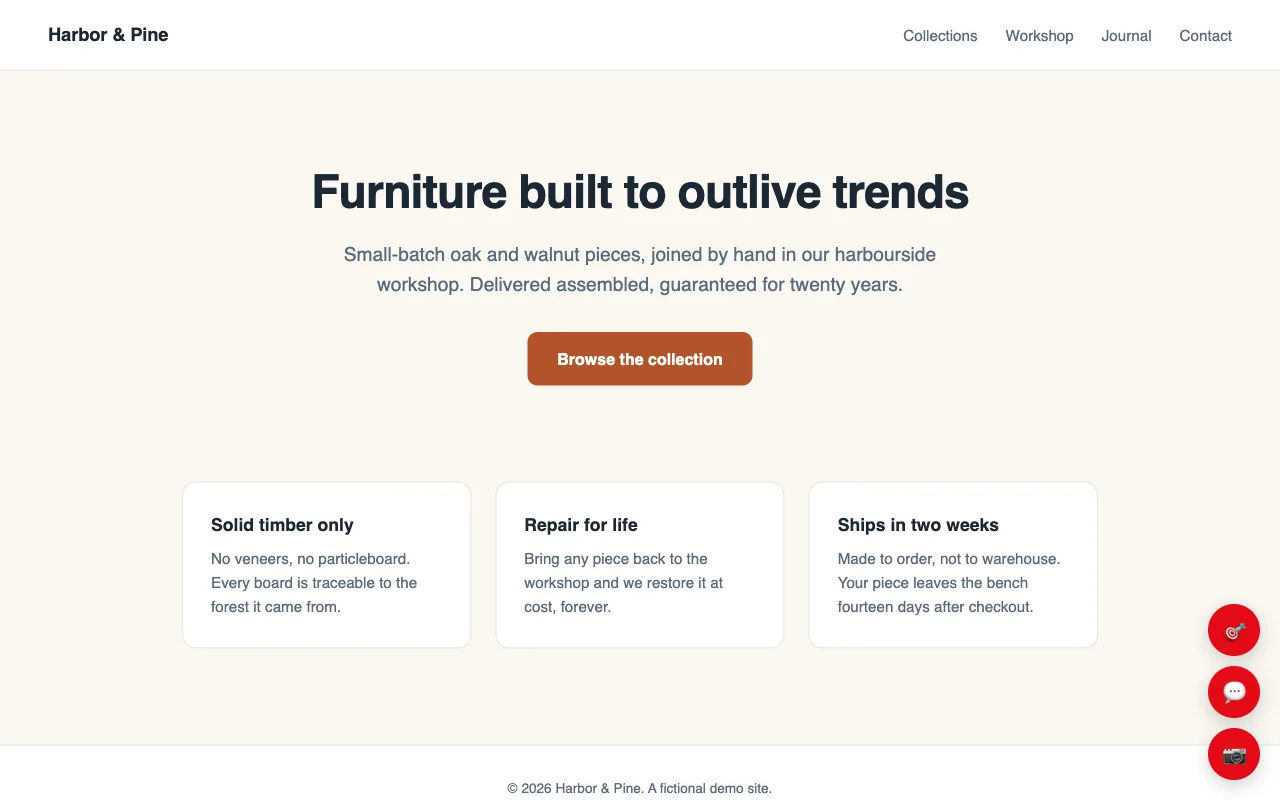
- 🎯 Inspect: pick a specific element on the page and comment on it. The widget records a precise CSS selector so the next AI iteration can find the exact element without grepping.
- 💬 Comment: drop a free-form pin anywhere on the page. Useful for layout-level feedback that doesn’t map to a single element.
- 📷 Screenshot: drag-select a region of the page and attach the captured image to the comment. Useful for visual issues that text can’t describe.
Each pin survives reload (stored on the PinAppAI server, scoped to the project) and shows up in your admin dashboard with the page URL, selector, screenshot, and reviewer name.
Pins change as the work does
A pin is not simply red or green. Its state is decided on the server, so every surface a reviewer might use shows the same thing about the same change.
- Still open: the pin stays red.
- Applied on this build: solid green, and only here. Looking at a build that does not contain the change yet leaves the pin neutral instead of promising a fix that is not on the page.
- Applied somewhere else: hollow green, so “done, just not here” reads at a glance.
- Decided: muted, because a change someone has already ruled on should stop competing for attention.
- Finished: gone. Once a change request closes and drops out of the current round, its pin stops rendering. A project on its tenth round shows the tenth round’s work, not ten rounds of markers stacked on one page.
An open pin never disappears on its own, however old it is. Only finished work retires.
Voice dictation
Every comment input has a 🎙️ microphone button. Click and hold to dictate (uses the browser’s built-in speech recognition, no extra API). The recognized text streams in live; release to stop. Language defaults to the browser’s, but you can pin it via:
<script src="https://api.pinappai.com/widget.js"
        data-project="pk_..."
        data-lang="tr-TR"
        data-langs="en-US,tr-TR,es-ES" defer></script>
data-lang sets the default; data-langs overrides the picker’s options. The same can be done at runtime from your own JS:
window.PinAppAI.setDictationLang('tr-TR');
window.PinAppAI.setDictationLangs(['en-US', 'tr-TR']);
Permissions
The widget asks each reviewer to verify their email via a one-time 6-digit code before they can submit. That gates spam and ties every comment to a real address. Once verified, an initials chip joins the floating buttons. Open it to see who’s signed in, and to Sign out (the session ends properly, not just in that browser tab).
Two modes for the project:
- Allowlist (default): only invited reviewers + workspace members can submit.
- Open access: anyone who can reach the page can verify and submit. Useful for public beta testing; recommended off for production.
Both flip from the project’s Settings in the admin UI (Projects → Settings on the project’s row). See Reviewer access for the full breakdown.
What’s NOT in the widget
The widget does not send analytics, track non-reviewer visitors, or alter your site’s layout/styles. It mounts an isolated stack of elements with pp-*-prefixed class names and a high z-index, so host CSS doesn’t conflict.