The review link (no-install reviews)
Share one URL and reviewers annotate your live site with zero setup. The review tools load automatically, no widget embed, no account gymnastics.
The fastest way to get feedback: share a link. review.pinappai.com/p/<your-project>/ serves your live site with the PinAppAI review tools pre-loaded. Reviewers pin, comment, and verdict without your site embedding anything and without installing anything themselves.
Enable it
Set Site origin (review link) in your project’s Settings (or accept the offer your AI agent makes during the setup-project workflow). That’s it:
https://review.pinappai.com/p/<your-project-slug>/Reviewers browse your site through that URL exactly as it is in production. Navigation stays on the review link; every pin and decision records against your real page URLs, so nothing forks from the widget-embedded experience.
The reviewer invitation email includes this link ready to click when it’s configured.
Reviewing a page
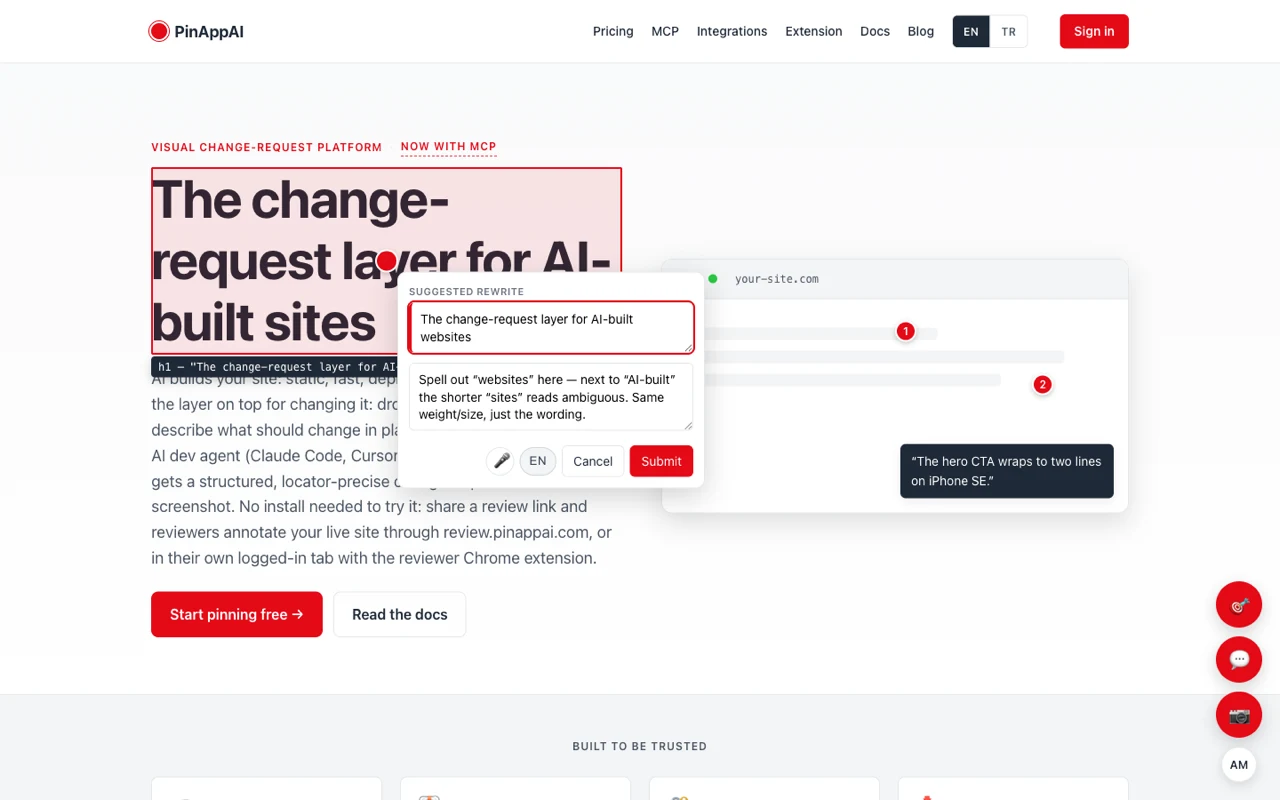
Every page served through the review link carries the same review tools in the bottom-right: pin an element, leave a comment, or grab a screenshot. Reviewers work directly on your live site as it looks on their screen: no desktop app, no browser extension, nothing embedded on your end.
To raise a change: pick the element, optionally suggest the exact rewrite, add a note, and Submit. It lands on your change-request stream with the element locator, the real page URL, and who asked.
The preview variant
Review rounds usually live on a branch deploy before they reach production. Add a Preview origin in Settings (your AI agent offers to wire the deploy URL after each apply run) and the same link gains a preview twin:
https://review.pinappai.com/p/<your-project-slug>~preview/Decisions made there still record against your canonical URLs. A verdict is a verdict, regardless of which deploy it was judged on.
PinAppAI routes reviewers to the right surface automatically:
- Review entries (the chip, green pins, dashboard links,
/changes/icons) open on the preview when that’s where the applied round lives. - If a page exists on one deploy but not the other, the 404 carries a one-click banner to the deploy that has it.
Review as a device
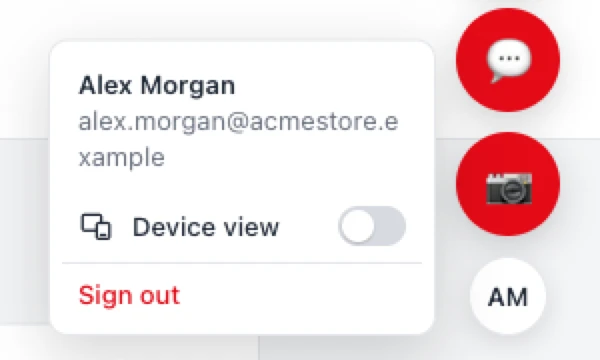
The desktop view above is the default, but reviewers aren’t limited to it. The same review link can also render your page as a phone, with its real mobile layout. Open the account menu (the initials chip under the review buttons) and turn on Device view:
The page reloads as the chosen device, with its real mobile layout. A slim control gutter sits beside it:
- Pick a device and Rotate between portrait and landscape; Fit scales the frame to your window.
- The same review actions (pin, comment, screenshot) work right there, and a screenshot captures just the device frame, not your whole screen.
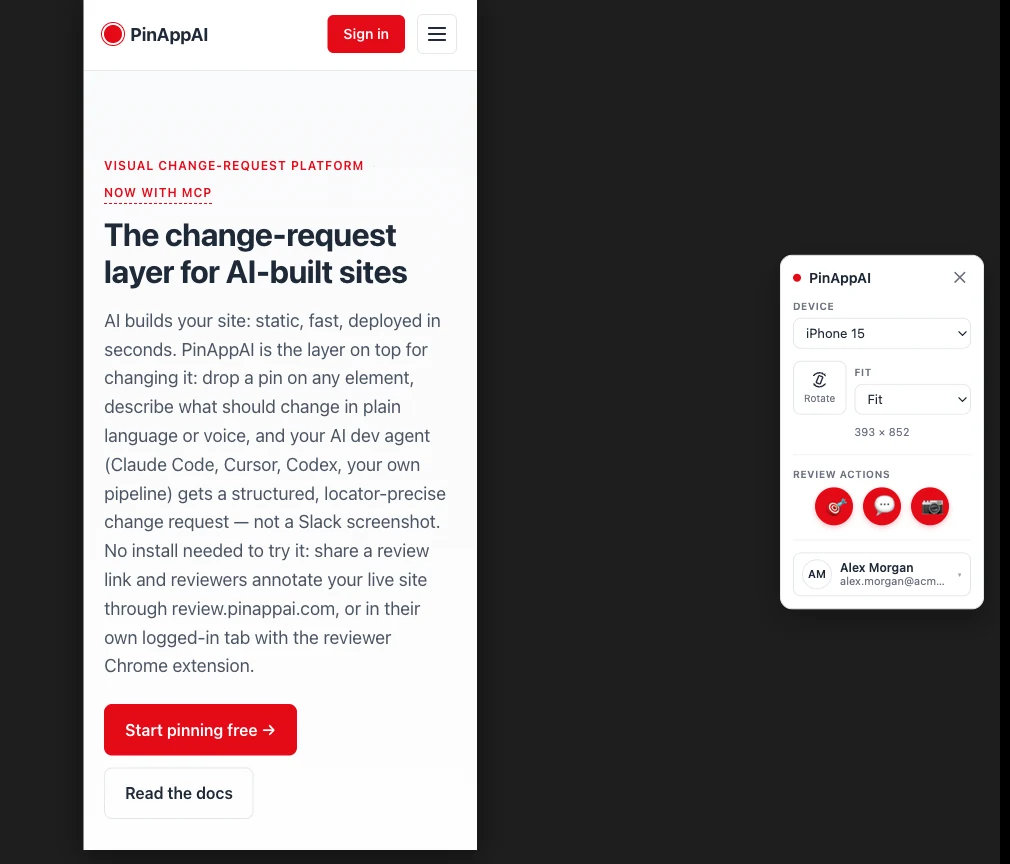
Every pin and decision is tagged with the device it was made on, so “only broken on mobile” lands on the change request as a fact, not a guess.
Security posture
- The proxy only ever fetches your project’s stored origins: a URL can’t be smuggled in.
- Reviewer identity works the same as everywhere else: email verification, allowlist by default (reviewer docs).
- Your site is served as-is; the review tools live in an isolated layer that can’t collide with your CSS or scripts.
When to use another surface
The widget embed, the review link, and the reviewer Chrome extension produce identical data. Pick per project, or mix them. Embed when you want reviewers on your real domain (e.g. dogfooding in production); share the link for zero-touch onboarding, agency-style client reviews, or feedback on a site you can’t modify; reach for the extension when the pages live behind a login or strict security policies.